Blog
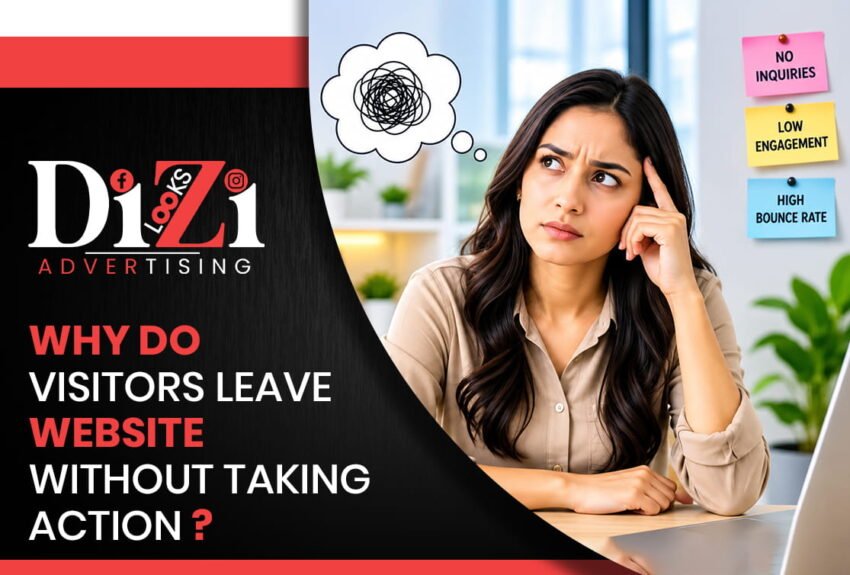
Why Do Visitors Leave Website Without Taking Action? This is one of the most important questions businesses should ask when their website receives traffic but fails to generate enquiries, leads, or sales. Getting visitors to a website is only the first step. The real challenge is convincing them to stay, explore the services, trust the business, and take the next step.
Many businesses invest in website development, SEO, social media marketing, and paid advertising to attract potential customers. However, even after receiving regular website traffic, they struggle to convert visitors into customers. The reason is often connected to poor user experience, unclear messaging, slow loading speed, lack of trust, or complicated navigation.
A website should do more than display information about a business. It should guide visitors towards meaningful actions, whether that means submitting an enquiry form, booking a consultation, making a purchase, or contacting the company.
At DiziLooks Advertising, we believe that a successful website combines effective design, useful content, smooth navigation, and a clear conversion strategy. Understanding why visitors leave without taking action can help businesses identify problems and improve their website performance.
Why Do Visitors Leave Website Without Taking Action?
Visitors leave a website without taking action when they cannot quickly find the information they need, experience difficulties navigating the website, or do not feel confident enough to engage with the business.
Some of the most common reasons include:
- Slow website loading speed.
- Poor website design and user experience.
- Unclear service information.
- Complicated navigation.
- Lack of trust signals.
- Weak calls to action.
- Poor mobile responsiveness.
- Complicated enquiry or checkout forms.
- Irrelevant landing page content.
- A mismatch between advertisements and website content.
Even small problems can affect how visitors interact with a website. Identifying and fixing these issues can improve engagement, increase enquiries, and create a better customer experience.
10 Reasons Why Visitors Leave Website Without Taking Action
Understanding visitor behaviour is essential for improving website conversions. Let’s explore the most common website problems that prevent visitors from becoming customers.
1. Slow Website Loading Speed
Website loading speed plays an important role in user experience. Visitors generally expect a website to load quickly and provide access to information without unnecessary delays.
When a website takes too long to load, visitors may lose interest and return to the search results or explore another website.
Slow loading speed can be caused by:
- Large and uncompressed images.
- Poor hosting performance.
- Unnecessary plugins and scripts.
- Excessive animations.
- Unoptimized website code.
- Improper caching configuration.
How to fix it:
Businesses should optimize website images, use reliable hosting, enable browser caching, reduce unnecessary scripts, and improve overall website performance.
Tools such as Google PageSpeed Insights can help identify performance issues and provide suggestions for improvement.
2. Poor Website Design and User Experience
First impressions matter when someone visits a business website. A cluttered layout, inconsistent colours, outdated visuals, or confusing page structure can make visitors question the professionalism of a business.
A website should communicate its purpose clearly and help visitors find relevant information without unnecessary effort.
Some common website design problems include:
- Too much information on a single page.
- Inconsistent fonts and colours.
- Poor spacing and alignment.
- Difficult-to-read text.
- Unprofessional images.
- Confusing page layouts.
How to fix it:
Use a clean and professional website design with readable typography, consistent branding, clear sections, and visually balanced layouts.
A well-designed website should make it easy for visitors to understand what the business offers and what they should do next.
3. Unclear Website Content and Messaging
Imagine a visitor landing on your homepage but struggling to understand what your business actually offers.
If your website does not communicate its services, benefits, and value clearly, visitors may leave without exploring further.
For example, a digital marketing agency should clearly explain its services, such as SEO, social media marketing, performance marketing, branding, and website development.
How to fix it:
Write clear and informative website content that answers three important questions:
- What does your business offer?
- How can your services help customers?
- What should visitors do next?
Use descriptive headings, short paragraphs, relevant keywords, and clear service descriptions.
Your homepage should communicate your main value proposition immediately rather than making visitors search for basic information.
4. Complicated Website Navigation
Website navigation helps visitors move between different pages and discover relevant information.
If menus are confusing, important pages are difficult to locate, or navigation options are poorly organized, visitors may struggle to explore the website.
For example, if a visitor wants to check your pricing, services, or contact details but cannot find the relevant section, they may leave.
How to fix it:
Create a simple navigation structure that includes important sections such as:
- Home
- About Us
- Services
- Projects or Portfolio
- Blogs
- Contact Us
Use descriptive menu labels, organize related pages logically, and ensure that important information is accessible within a few clicks.
5. Lack of Trust and Credibility
Trust is one of the most important factors influencing online buying decisions.
Visitors may hesitate to contact or purchase from a business if its website does not provide enough information to establish credibility.
A website without customer reviews, company information, project examples, or clear contact details may struggle to convince potential customers.
How to fix it:
Build credibility by including genuine trust signals such as:
- Customer testimonials.
- Verified client reviews.
- Previous projects and case studies.
- Business contact information.
- Company background.
- Relevant certifications and achievements.
- Secure website connections (HTTPS).
For service-based businesses, displaying actual work and client experiences can help visitors understand the quality of services offered.
6. Weak or Missing Call-to-Action Buttons
A Call-to-Action (CTA) tells visitors what they should do next.
Without clear CTAs, visitors may explore your website but leave without contacting your business or making a purchase.
Some examples of effective CTAs include:
- Get a Free Consultation.
- Request a Quote.
- Contact Our Team.
- Book a Meeting.
- Explore Our Services.
- Get Started Today.
How to fix it:
Place relevant CTA buttons in visible sections of your website, particularly on the homepage, service pages, and landing pages.
Use action-oriented wording and make sure every CTA leads to the correct destination.
Avoid placing too many competing buttons on a single page because this can make decision-making difficult.
7. Poor Mobile Responsiveness
A website that looks professional on a desktop may not provide the same experience on a mobile device.
Text that appears too small, buttons that are difficult to click, images that do not fit the screen, and horizontal scrolling can frustrate mobile visitors.
Since many people discover businesses through mobile searches and social media, mobile usability is an important part of website performance.
How to fix it:
- Use a responsive website layout.
- Make text readable on smaller screens.
- Optimize images for mobile devices.
- Keep buttons easy to tap.
- Avoid unnecessary pop-ups.
- Test important pages on different screen sizes.
A mobile-friendly website makes it easier for visitors to explore services, submit enquiries, and interact with your business.
8. Complicated Contact and Enquiry Forms
Sometimes visitors are interested in your services but leave because the enquiry process requires too much effort.
Long forms requesting unnecessary information can discourage potential customers from completing them.
For example, asking visitors to provide multiple personal details before they can submit a basic enquiry may create friction.
How to fix it:
Keep contact forms simple and request only essential information, such as:
- Name.
- Phone number or email address.
- Service requirement.
- Short message.
Make sure forms work correctly on mobile devices and display a confirmation message after successful submission.
A simple enquiry process can make it easier for interested visitors to connect with your business.
9. Irrelevant Landing Page Content
Businesses often run Google Ads, Meta Ads, and other digital marketing campaigns to attract website traffic.
However, sending visitors to a landing page that does not match the advertisement can result in poor engagement and fewer conversions.
For example, if an advertisement promotes SEO services but the visitor lands on a general homepage without clear SEO information, the visitor may leave.
How to fix it:
Create dedicated landing pages for different campaigns and services.
Ensure that the landing page headline, content, visuals, and CTA match the message visitors saw in the advertisement.
This creates a consistent experience from the initial click to the final enquiry.
10. Lack of Relevant and Useful Information
Visitors come to websites with specific questions and expectations. If a website does not provide useful answers, they may search for another source.
For example, someone exploring digital marketing services may want to understand pricing factors, service processes, expected deliverables, and the difference between various marketing strategies.
If the website only contains promotional statements without meaningful information, it may fail to satisfy the visitor’s requirements.
How to fix it:
Publish informative content that answers common customer questions.
Include:
- Detailed service descriptions.
- Relevant case studies.
- Educational blog articles.
- Useful guides and resources.
- Clear explanations of your process.
Helpful content improves the user experience and gives visitors more reasons to engage with your business.
How to Identify Why Visitors Are Leaving Your Website
Understanding the problem requires more than looking at website traffic numbers. Businesses should analyse visitor behaviour and identify where users experience difficulties.
Here are some useful tools and methods:
1. Google Analytics 4
Google Analytics 4 helps businesses understand how visitors interact with their websites.
It can provide information about:
- Website traffic sources.
- Most visited pages.
- User engagement.
- Important conversion events.
- Landing page performance.
- User journeys.
By analysing this information, businesses can identify pages that attract visitors but generate limited engagement or conversions.
2. Google Search Console
Google Search Console helps website owners understand how their websites perform in Google Search.
It provides information about:
- Search impressions.
- Organic clicks.
- Search queries.
- Average search position.
- Indexing issues.
- Website search performance.
This information can help businesses understand whether their website content matches the queries people are searching for.
3. Microsoft Clarity
Microsoft Clarity provides behavioural insights through session recordings and heatmaps.
Businesses can use it to understand:
- Where visitors click.
- How far visitors scroll.
- Which sections receive attention.
- Where users encounter interaction difficulties.
- Which website elements may be confusing.
These insights can help identify usability problems that traditional website analytics may not explain clearly.
4. Website Performance Testing
Tools such as Google PageSpeed Insights can help identify issues affecting loading speed and website performance.
Reviewing Core Web Vitals, image optimization, mobile performance, and page responsiveness can help businesses identify technical improvements.
How to Increase Website Conversions and Turn Visitors into Customers
Once businesses understand why visitors leave, the next step is to improve the website experience.
Here are some practical strategies that can help increase website conversions.
Improve Website User Experience
Create a website that is easy to navigate, visually appealing, and simple to understand. Make sure visitors can access important information without unnecessary steps.
Create Clear and Relevant Content
Use content that addresses customer questions and explains how your products or services solve their problems.
Optimize Landing Pages
Build dedicated landing pages for individual services and advertising campaigns. Keep the messaging consistent and include relevant CTAs.
Improve Website Speed
Optimize images, reduce unnecessary scripts, and improve hosting performance to create a smoother browsing experience.
Add Genuine Customer Testimonials
Display authentic customer experiences, project examples, and reviews to help establish trust.
Simplify the Conversion Process
Make it easier for visitors to contact your business, request a quote, book a consultation, or complete a purchase.
Analyse and Improve Regularly
Monitor website performance, review user behaviour, test different layouts, and make improvements based on actual data.
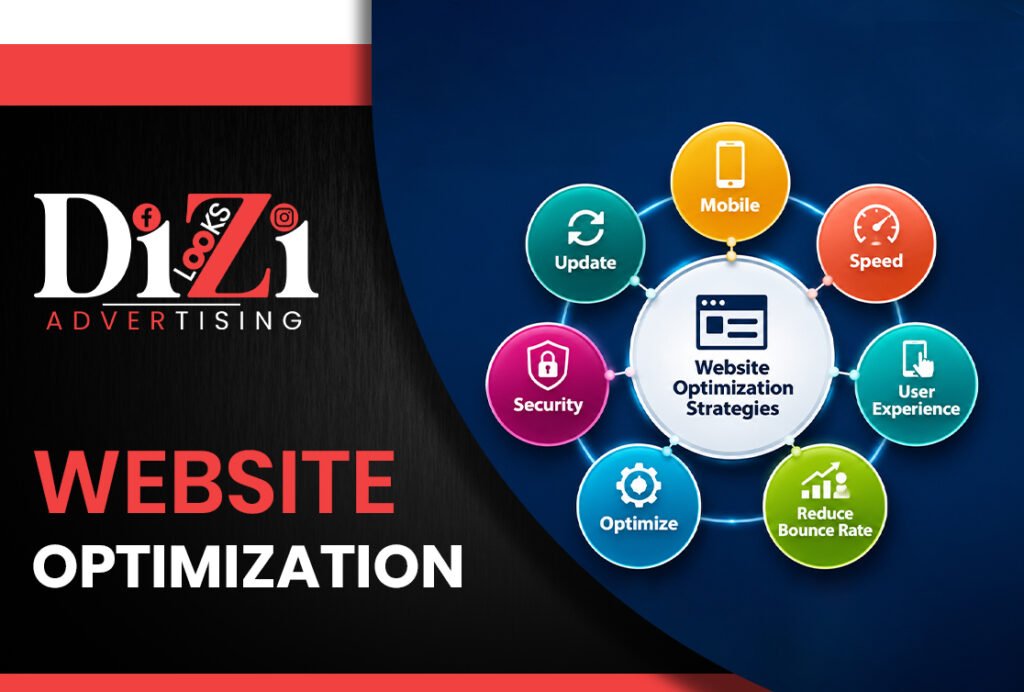
Website optimization is an ongoing process. Regular testing and improvements can help businesses create a better experience for visitors.
Why Website Design and Digital Marketing Should Work Together
Website performance is not determined by design alone. It also depends on how visitors discover the website, what information they find, and how easily they can take action.
SEO helps attract relevant organic visitors, while paid advertising can bring targeted traffic to specific pages. Social media marketing helps businesses build awareness and connect with potential customers.
However, all these marketing activities become more effective when visitors land on a website that provides a smooth and relevant experience.
For example:
- SEO attracts people searching for relevant services.
- Social media marketing introduces businesses to potential customers.
- Google Ads connects searchers with relevant offerings.
- Website design helps visitors understand the business.
- Conversion optimization encourages visitors to take meaningful action.
This is why businesses should treat website development and digital marketing as connected parts of their overall growth strategy.
Conclusion: Turn Your Website Visitors into Valuable Business Opportunities
Understanding why visitors leave a website without taking action is the first step towards improving website performance and generating better business results.
A website should not simply attract visitors; it should provide useful information, build trust, offer a smooth browsing experience, and guide people towards the right action.
From improving website loading speed and mobile responsiveness to creating relevant content and optimizing CTAs, every improvement can contribute to a better user experience.
At DiziLooks Advertising, we focus on creating effective digital experiences through strategic website design, SEO, social media marketing, branding, and performance marketing.
If your website is receiving traffic but not generating the enquiries you expect, it may be time to understand what is stopping visitors from taking action.